birthdays and name days · Slovakia and Czechia
A light that stays on until you’ve wished them well
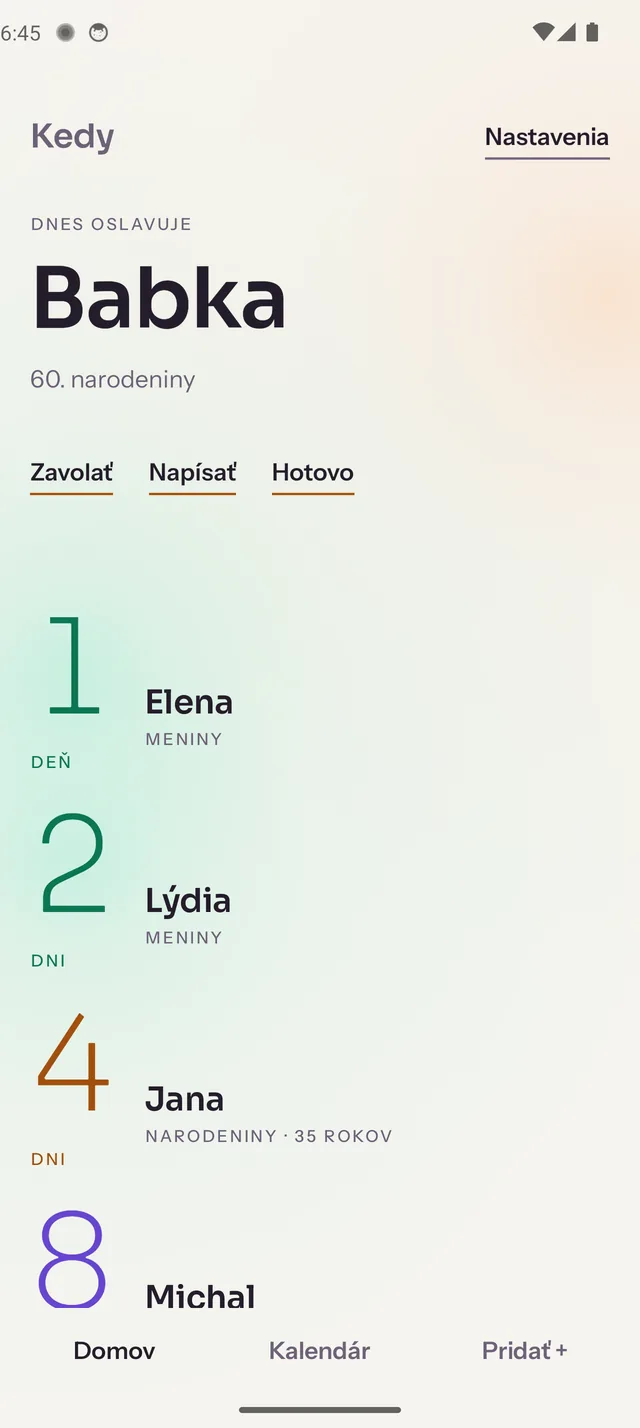
Read is not done. Kedy keeps the day lit on the widget and in the notification. You wish them well straight from it, and the light goes out when you tap Done.
Android first
You didn’t forget. It slipped out from under your thumb.
This is the evening Kedy came out of.
the day before
Your calendar pings in the evening: Lucia has a birthday tomorrow. You read it in bed and you know you’ll write to her in the morning. You swipe the notification away to keep things tidy.
on the day
Morning came, the message didn’t. The reminder is gone, so nothing speaks up again. All day you’re sure it’s handled.
three days later
You see the photos from the party and it lands. You hadn’t forgotten her. What got lost was the one line you meant to write.
This isn’t about memory. A notification you can swipe away takes the task with it.
Kedy stays lit until you’ve dealt with the day
An occasion here isn’t a date, it’s a state: waiting · today · done. The light belongs to the state, not to the calendar.
A notification you can’t lose
On the day itself the reminder is a different thing from the evening-before ping. It is persistent and carries its buttons inside it. You can send the wish straight from there, without opening the app. Only Done puts it out; Call and Write leave it where it is. And if it ever does disappear, it comes back: next time you open Kedy, or at the morning reminder. The evening before, you also get Remind me in the morning, for exactly the night you clear your notifications.
celebrating today
Lucia
name day
CallWriteDone
A widget that isn’t a calendar
One person, one number. No to-do list on your home screen, no noise. That’s exactly why you’ll leave it there. It counts the days off the phone’s clock, so it never shows you yesterday.
Kedy widget: Babka, birthday in 3 days
Light instead of nagging
The closer the day, the stronger the light. You catch it out of the corner of your eye, the way you notice dusk through a window. The date settles in your head without a single beep and without guilt.
30
days
still only smouldering
7
days
you can feel it now
1
day
impossible to overlook
Name days, not only birthdays
In Slovakia and Czechia every day of the year belongs to a few first names, and whoever carries one is wished a happy name day. It’s a second occasion for the same person, and Kedy treats it like the first.
- Both calendars, Slovak and Czech
- They ship inside the app and work offline. Jana’s name day sits right next to her birthday, so there’s nothing to look up and nobody to ask.
- No account, no cloud
- The people you keep track of stay on your phone. No sign-up, no uploading your contacts, no logging in. Kedy works in airplane mode.
Jana, in 6 days — name day · Slovakia
closed test
Test Kedy first
Kedy is going into a closed test on Google Play. Leave the email of your Google account and we’ll let you in.
Your address goes into Google Play as a tester and gets one message from us. Nowhere else.
- 1You leave the address of the Google account your Play Store is signed in to — Play knows a tester by that address, not by the phone.
- 2We add you to the tester list. A person does that, so give it a day or two.
- 3You open the link below, tap to accept, and install Kedy from Play like any other app.
The link that lets you in:
https://play.google.com/apps/testing/dev.rikoapp.kedy
Testing means an ordinary app from Play, and updates arrive on their own the way they do for any other. What helps most is writing back about whatever annoyed you.